01
Make room for what matters
See today’s Screen Time and active limits together, so you always know where the day went.
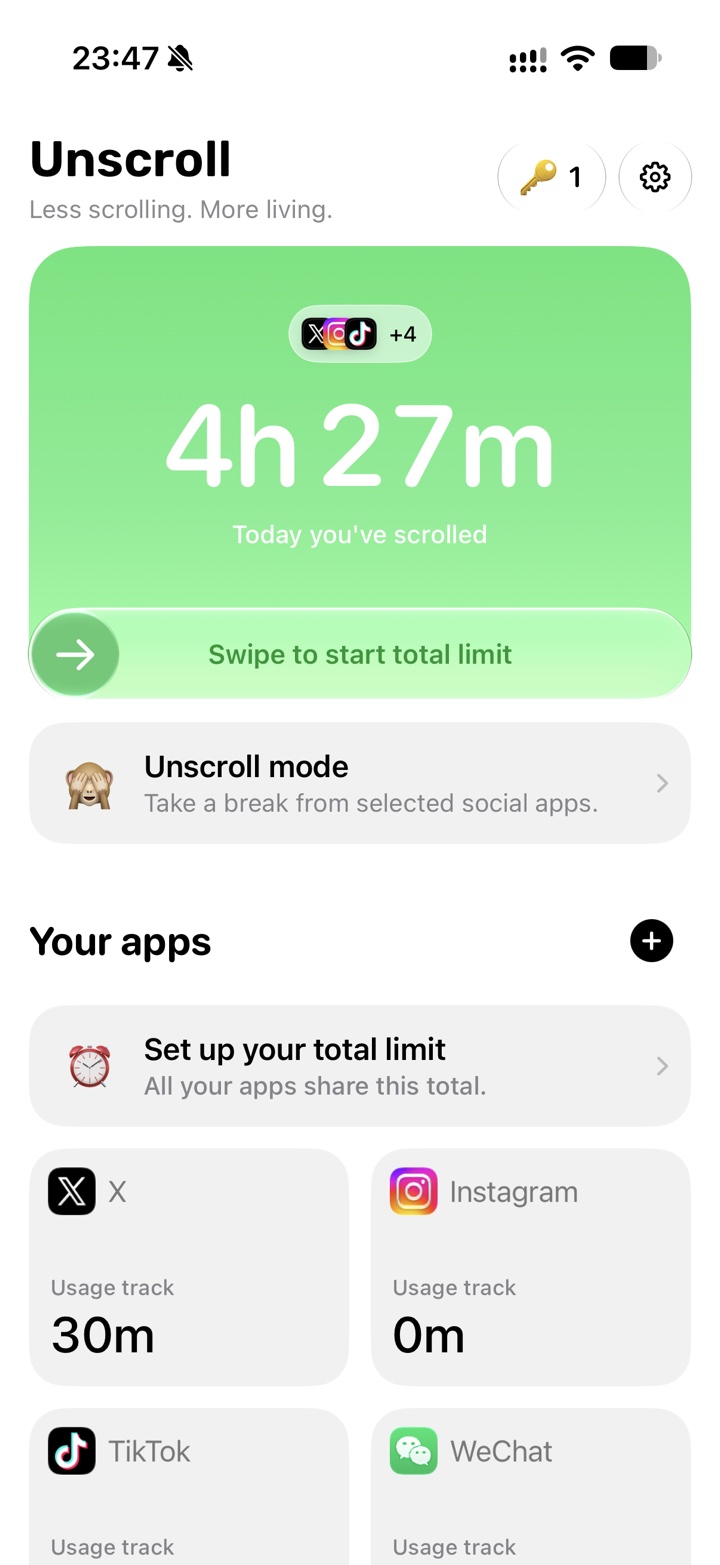

A little less scrolling. A little more life.
Pause distracting social apps with Unscroll mode, set thoughtful daily limits, and review real Screen Time by day, week, and month.
Four key moments
See today’s Screen Time and active limits together, so you always know where the day went.
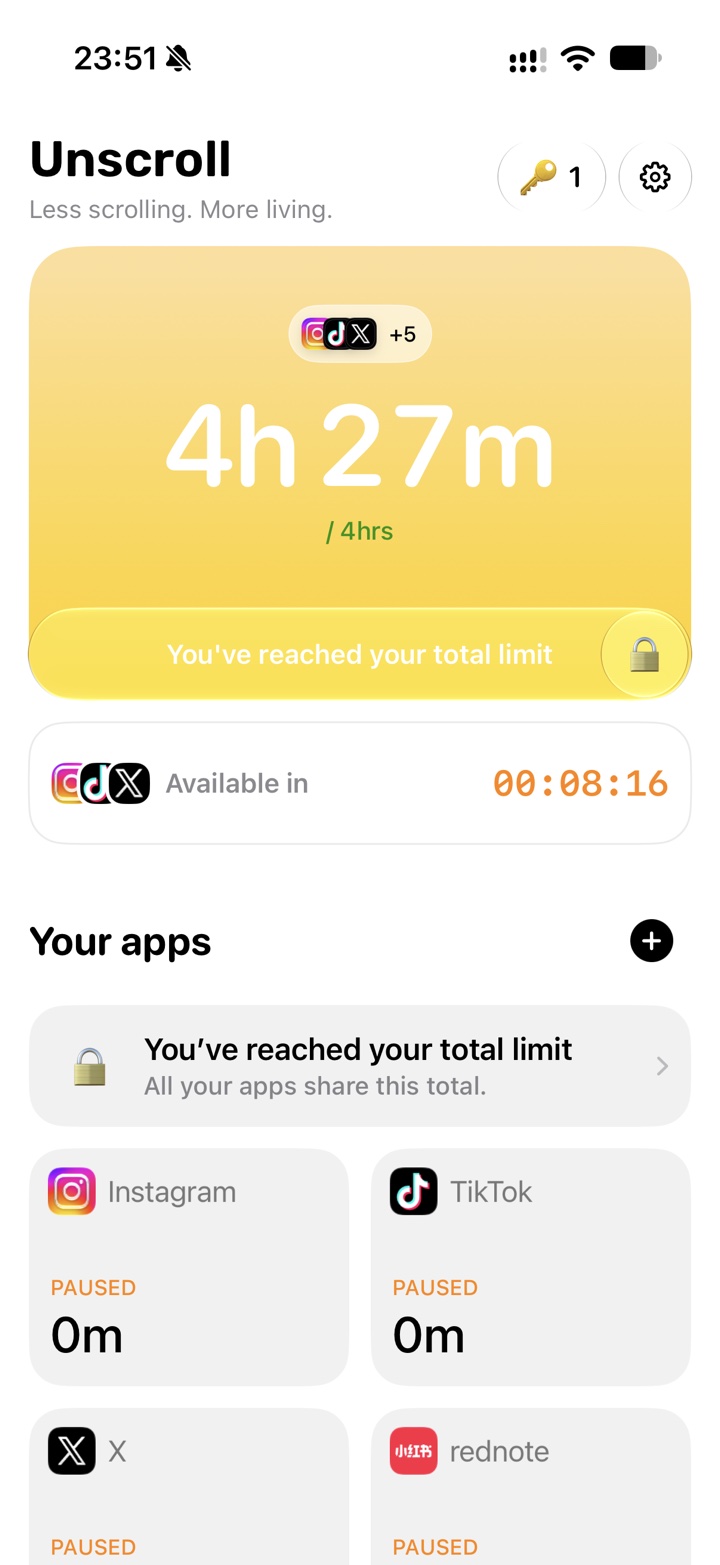
Set a Daily limit for one app, or a Total limit shared by every app you choose.
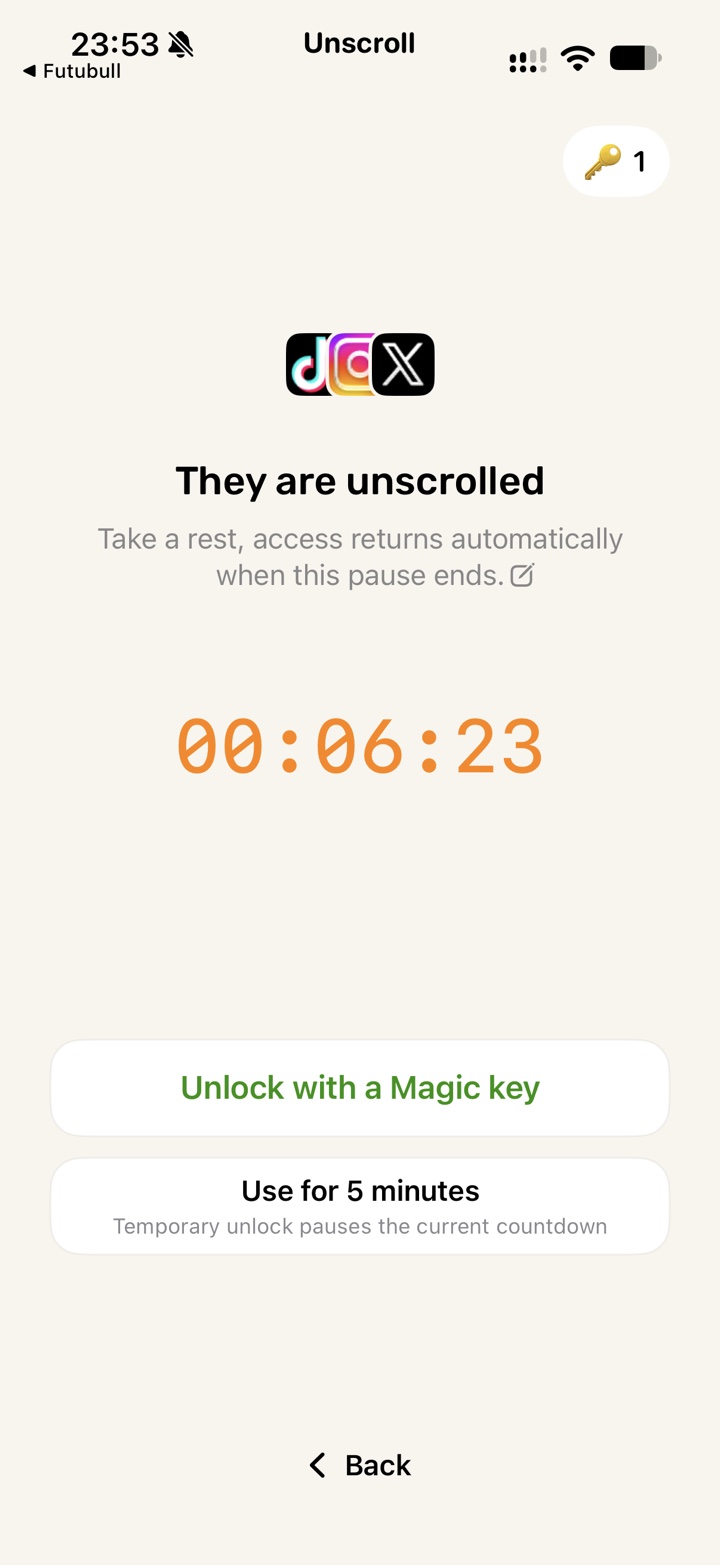
Start a timed pause for selected apps. They become available again automatically when the countdown ends.
Review your Screen Time by day, week, and month to better understand your habits.
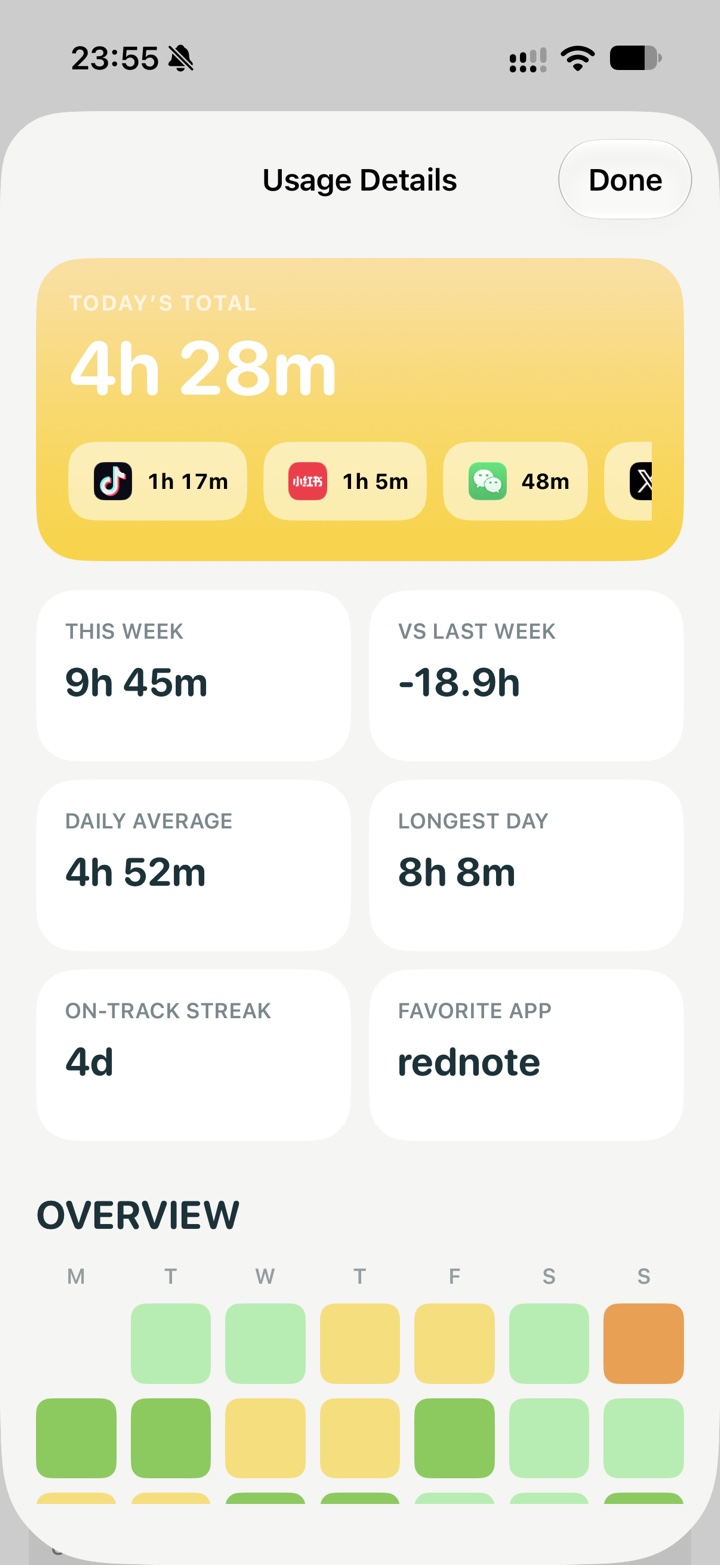
Usage data is provided by Apple’s Screen Time. Unscroll does not see what you do inside other apps, run ads, or track you across apps and websites.